



Let your AI assistant install it. Connect the Super MCP to Claude, ChatGPT or another assistant and paste this prompt:
Use the Super MCP to add the Custom button style to my Super site [site name].
Follow the installation instructions at https://docs.super.so/snippets-and-custom-code/custom-button-style and keep all existing code.
Style [Notion buttons / form buttons / CTA buttons] with [your colors and corner radius].
Then show me a preview of a page with these buttons.
If you would like to customize the appearance of your buttons, with the code snippets below you can modify them the way you need.
We’ve prepared codes for each button type:
- Common Notion buttons
- Notion form buttons
- CTA buttons

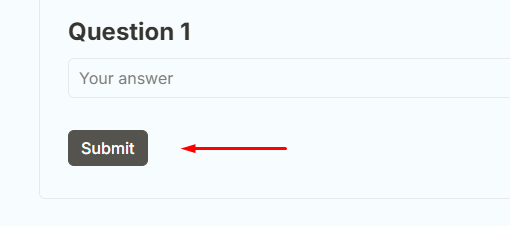

- Copy codes below and paste them into the CSS tab of the Custom code section in your dashboard.
- Then you can edit the vaules (see comments in the code).
Notion buttons:
/* Notion buttons */
.notion-button__content {
  border-radius: 25px !important; /* corner radius */
  border: 2px solid #1a1a1a !important; /* border thickness and color */
  min-width: 140px !important; /* button width */
  height: 44px !important; /* button height */
  font-size: 16px !important; /* font size */
  background: #ffffff !important; /* bg color */
  color: #1a1a1a !important; /* text color */
  display: inline-flex !important;
  align-items: center !important; /* vertical text align: start-center-end */
  justify-content: center !important; /* horizontal text align: start-center-end */
}
.notion-button__content:hover {
  background: #1a1a1a !important; /* bg hover color */
  color: #ffffff !important; /* text hover color */
  border-color: #1a1a1a !important; /* border hover color */
}
Notion form buttons:
/* Notion form buttons */
.notion-form__submit-btn,
.notion-form button,
button[type="submit"] {
  border-radius: 25px !important; /* corner radius */
  border: 2px solid #1a1a1a !important; /* border thickness and color */
  min-width: 90px !important; /* button width */
  height: 28px !important; /* button height */
  font-size: 16px !important; /* font size */
  background: #ffffff !important; /* bg color */
  color: #1a1a1a !important; /* text color */
  display: inline-flex !important;
  align-items: center !important; /* vertical text align: start-center-end */
  justify-content: center !important; /* horizontal text align: start-center-end */
}
.notion-form__submit-btn:hover,
.notion-form button:hover,
button[type="submit"]:hover {
  background: #1a1a1a !important; /* bg hover color */
  color: #ffffff !important; /* text hover color */
  border-color: #1a1a1a !important; /* border hover color */
}
CTA buttons:
/* CTA buttons */
.super-navbar__cta,
.super-navbar__cta > a,
.notion-navbar__cta,
a[data-test="cta-button"] {
  border-radius: 25px !important; /* corner radius */
  border: 2px solid #1a1a1a !important; /* border thickness and color */
  min-width: 65px !important; /* button width */
  height: 35px !important; /* button height */
  font-size: 16px !important; /* font size */
  background: #ffffff !important; /* bg color */
  color: #1a1a1a !important; /* text color */
  display: inline-flex !important;
  align-items: center !important; /* vertical text align: start-center-end */
  justify-content: center !important; /* horizontal text align: start-center-end */
}
.super-navbar__cta:hover,
.super-navbar__cta > a:hover,
.notion-navbar__cta:hover,
a[data-test="cta-button"]:hover {
  background: #1a1a1a !important; /* bg hover color */
  color: #ffffff !important; /* text hover color */
  border-color: #1a1a1a !important; /* border hover color */
}