Let your AI assistant do it. Connect the Super MCP to Claude, ChatGPT or another assistant and paste this prompt:
Use the Super MCP to hide the page title on [all pages / page path] of my Super site [site name].
Follow the guide at https://docs.super.so/help/super-how-tos/hiding-the-page-title and keep all existing code.
Then show me a preview of that page.
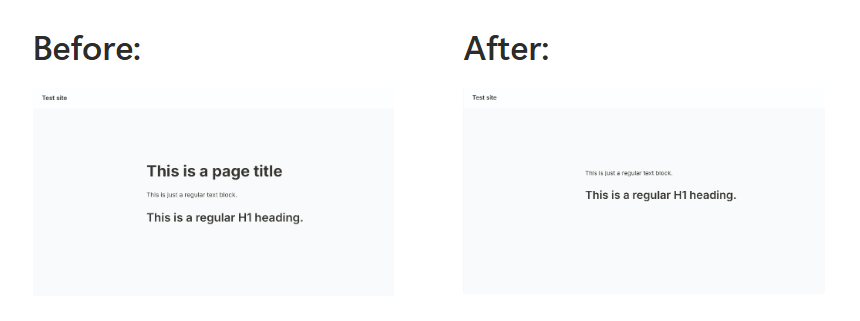
Hide the default page title in Super when using a custom H1 or when you prefer a cleaner layout.
If you’re using a custom H1 element instead of the default page title in Super, or you simply prefer not to display the page title for design reasons, you can easily hide it using the code below.
This gives you more flexibility in how you structure your page layout while keeping your design clean and consistent.
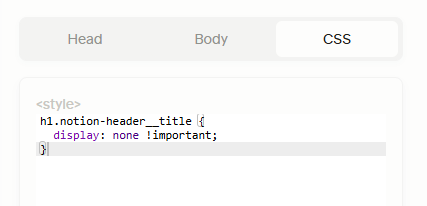
Just paste the Code below into the CSS tab in the Custom Code section of the dashboard:
h1.notion-header__title { display: none !important; }