Let your AI assistant set it up. Connect the Super MCP to Claude, ChatGPT or another assistant and paste this prompt:
Use the Super MCP to enable the sidebar and add [pages or links] to it on my Super site [site name].
Follow the guide at https://docs.super.so/help/super-how-tos/how-to-add-items-on-sidebar-in-superso
Then show me a preview of the home page with the sidebar.
Creating a sidebar in Super allows you to organize your site’s navigation and give visitors quick access to key pages. Follow the steps below to set up and customize your sidebar to match your site’s layout and style.
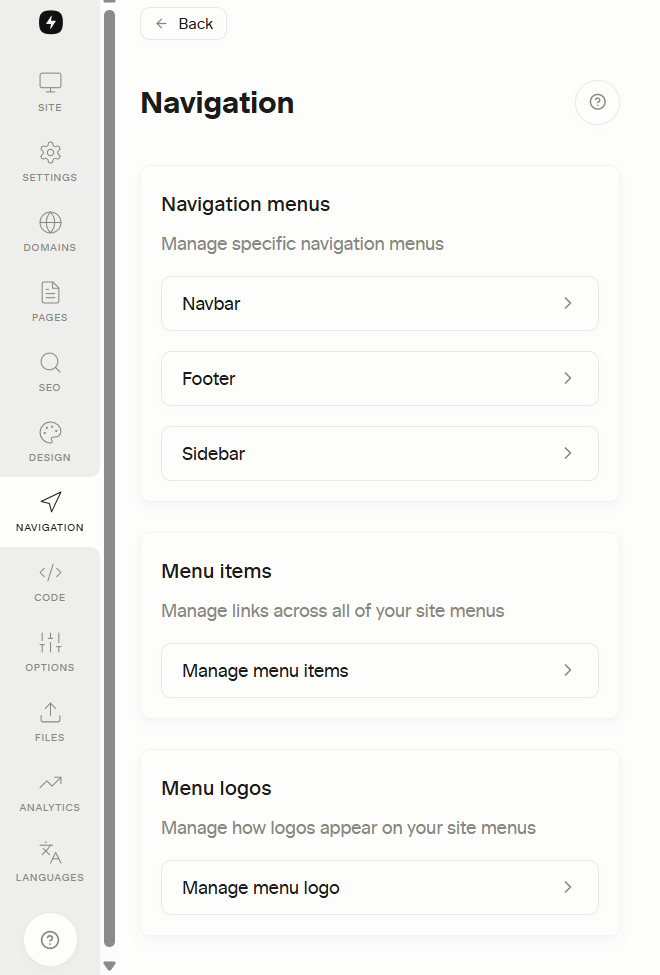
- Click Navigation and Choose Sidebar
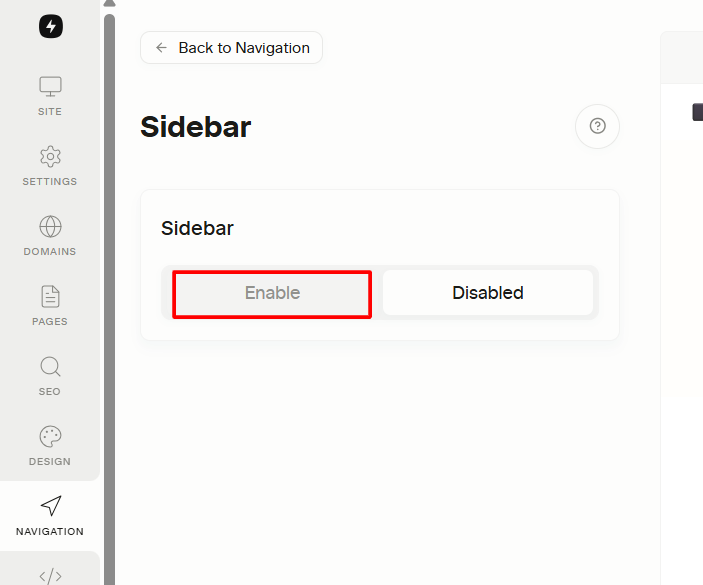
- Click Enable and that will show you option to add items and modify your sidebar
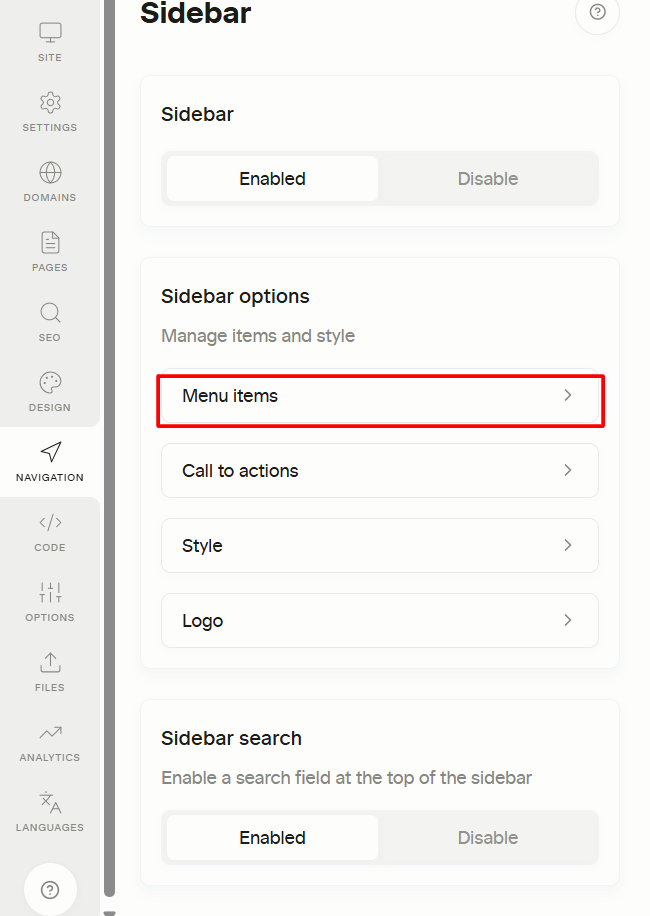
- Click Menu Items
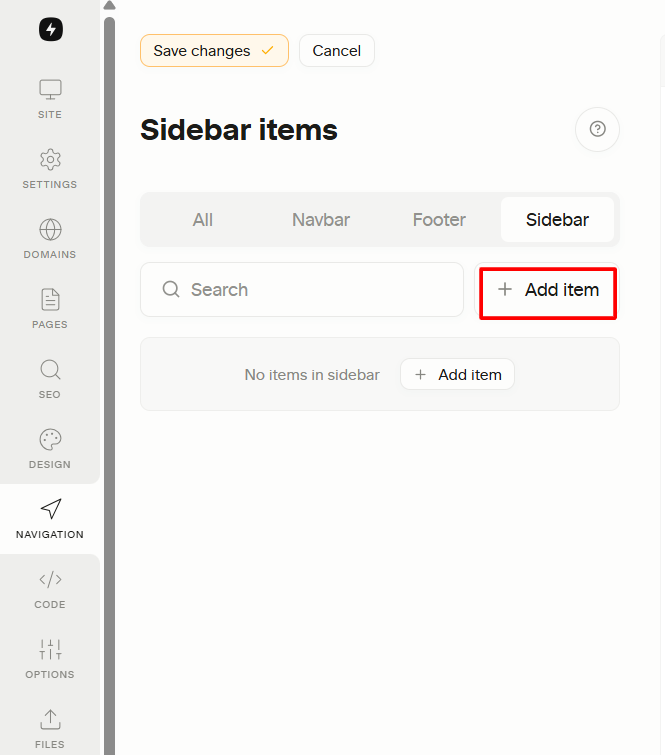
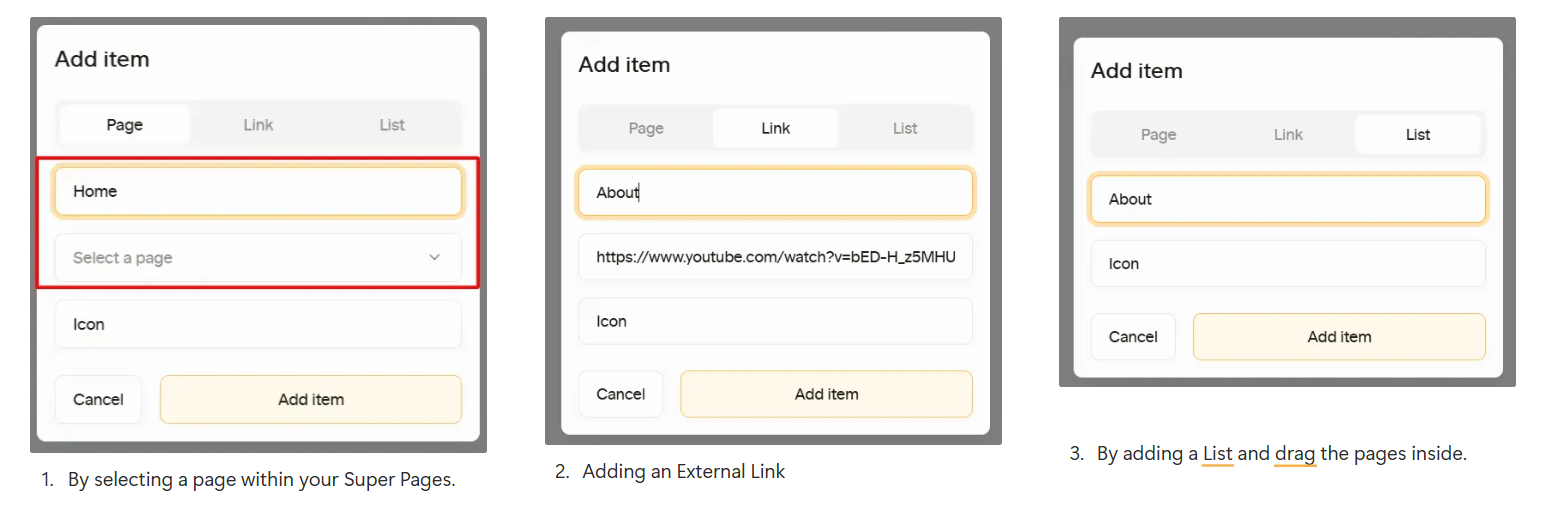
- Click Add Item for you to add pages
- We have three ways on adding navigation. You can use all these on the navigation.
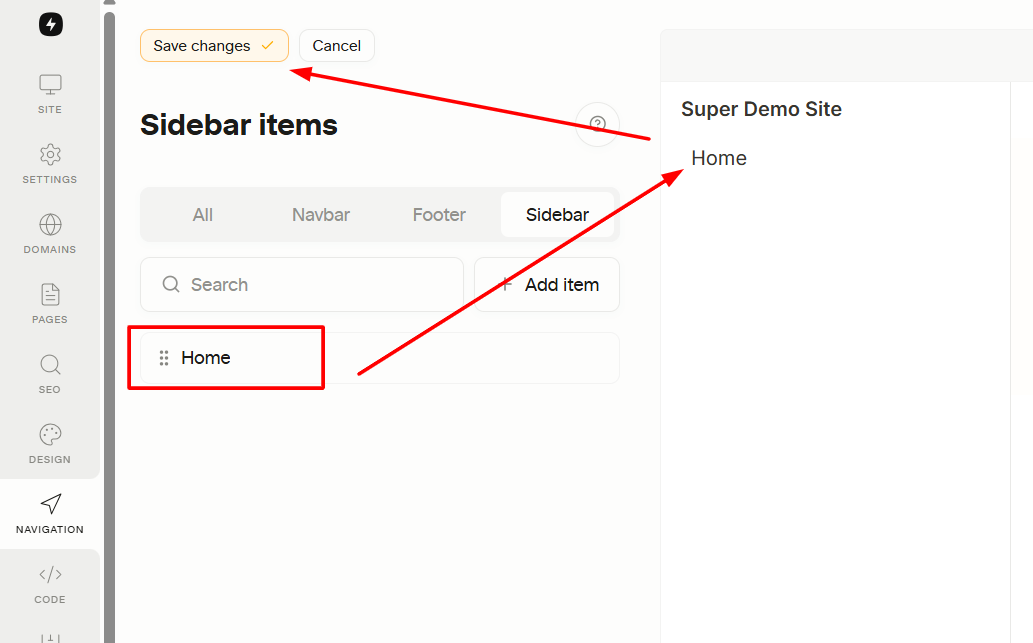
- After clicking Add Item, you will see it on sidebar and please make sure to save changes.