Let your AI assistant walk you through it. Connect the Super MCP to Claude, ChatGPT or another assistant and paste this prompt:
Use the Super MCP to tell me which of my Super sites have analytics turned on.
Read https://docs.super.so/help/super-how-tos/how-to-cancel-analytics-plan and explain it for my account step by step.
Do not cancel or change anything; just show me where in the dashboard I can do it.
Analytics pricing is based on total monthly page views across all your Super sites, and your plan automatically adjusts if you exceed your tier limits. You can enable analytics on any number of sites at no extra cost, billing only scales with your total traffic.
If you want more detailed information about analytics, you can visit this article: [Getting Started with Analytics](https://super.so/guides/how-to-use-super-analytics-on-your-super-site)
Here’s a step on cancelling your Analytics App:
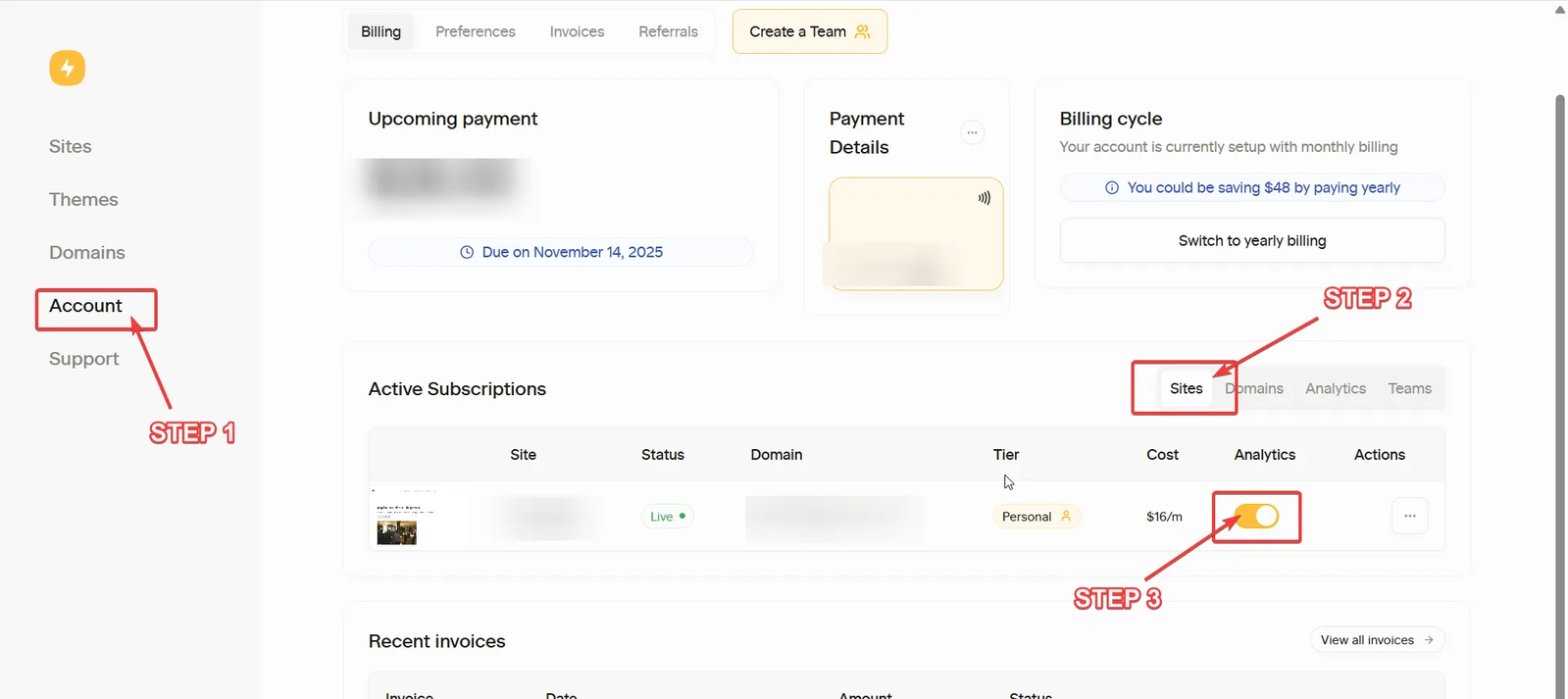
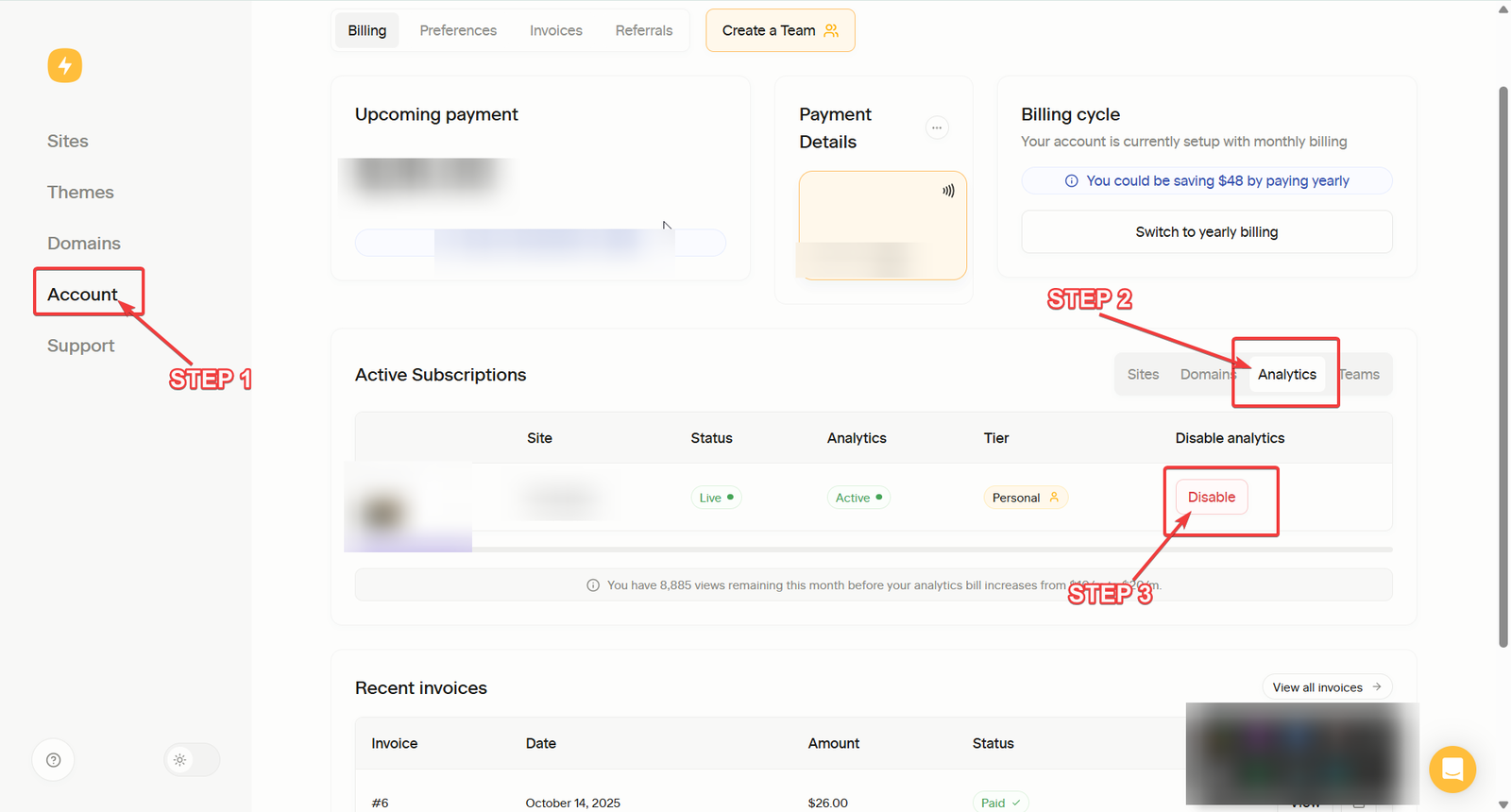
- Open your Super Main Dashboard and go to Account Settings.
- Locate the Active Subscriptions section.
- Navigate to the Sites tab to manage site subscriptions:
- If you wish to stop a site's subscription, simply toggle it off.
- *Or, go to the Analytics* tab:
- Click the Disable button for the analytics service you want to cancel