


Let your AI assistant check it. Connect the Super MCP to Claude, ChatGPT or another assistant and paste this prompt:
Use the Super MCP to check why the database views on [page path] are missing on my Super site [site name].
Follow the guide at https://docs.super.so/help/super-how-tos/how-to-fix-missing-database-views-in-superso
Then show me a preview of that page.
Learn how to show pre-filtered Notion database views on your Super site.
You may have already added pre-filtered views to your Notion database, but they’re not appearing on your Super site after syncing. No worries—you’re on the right track! This usually happens when a required setting isn’t enabled yet.
To make sure your database views show up correctly on your live site, please follow these steps:
- Go to your Super Editor Dashboard.
- Open Settings → Databases.
- Look for Show database view tabs and make sure it is enabled.
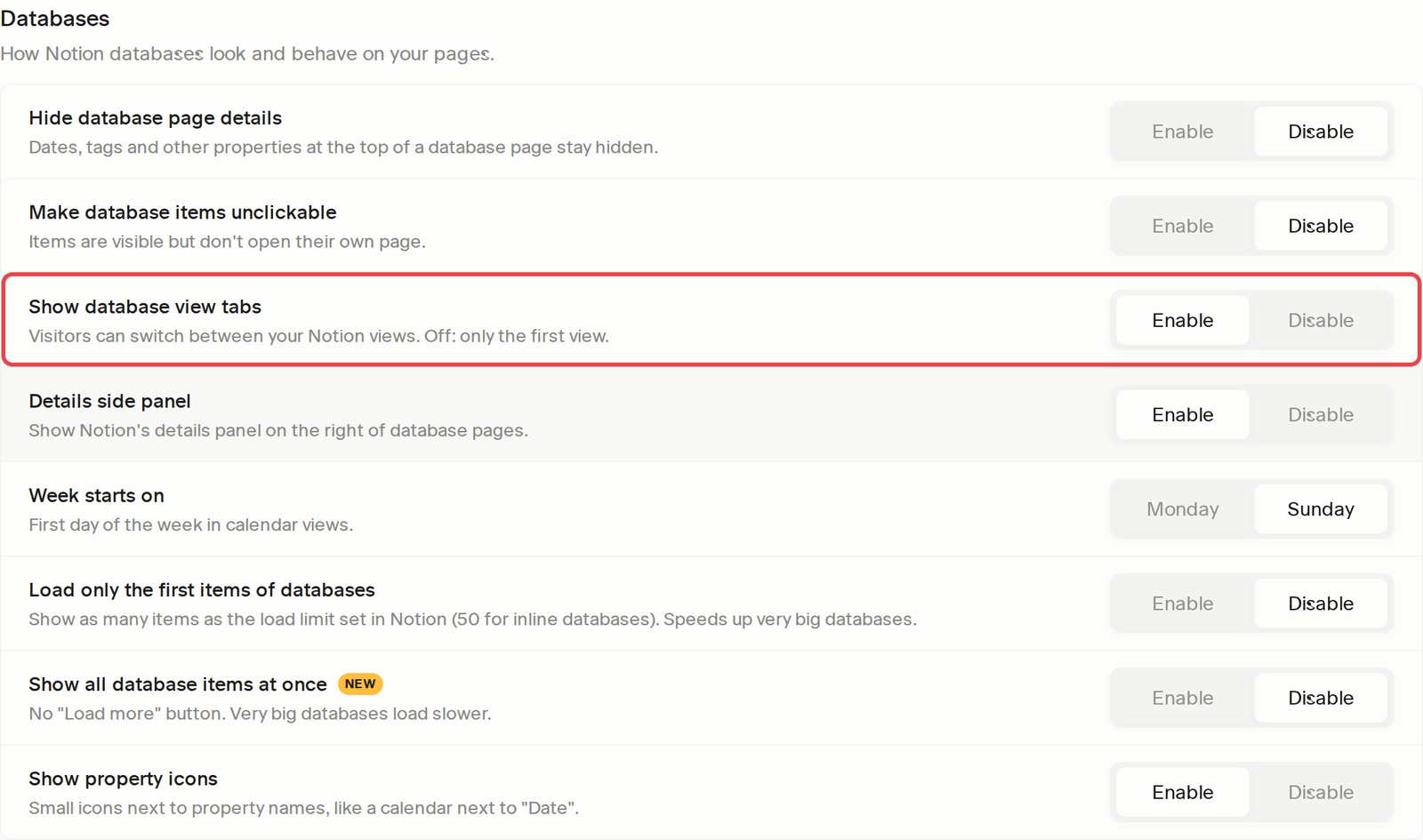
Once this setting is turned on, re-sync your site and your pre-filtered database views should display properly in Super.
If you still don’t see the views after enabling this option, feel free to reach out and we’ll be happy to help further.