Let your AI assistant set it up. Connect the Super MCP to Claude, ChatGPT or another assistant and paste this prompt:
Use the Super MCP to review the default domain indexing and redirect settings of my Super site [site name].
Follow the guide at https://docs.super.so/help/super-how-tos/understanding-default-domain-indexing-and-redirect-settings
Redirect the super.site address to my custom domain [domain] and stop it from being indexed.
Then show me the updated settings.
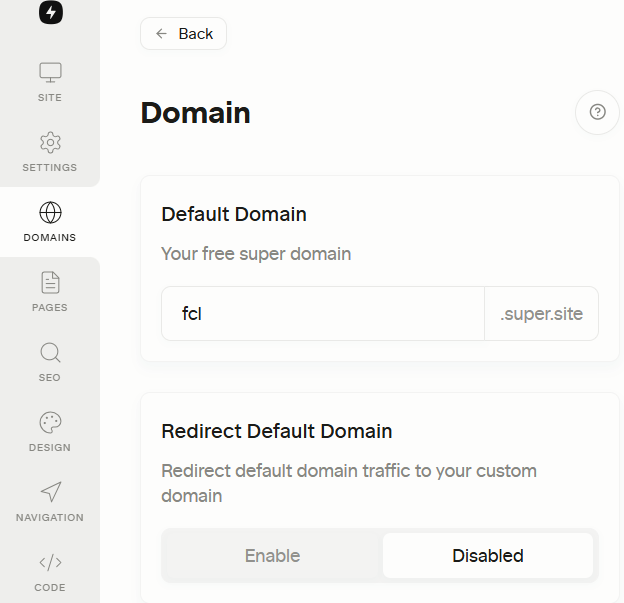
Manage your default domain and redirect your super.site URL to your custom domain.
When the Default Domain Indexing setting is disabled, Google and other search engines will not index the super.site version of your site. This means it won’t appear in search results under that domain. However, visitors can still access your site using the super.site URL, your content remains publicly available, just not indexed for search.
Redirect Default Domain
When the Redirect Default Domain setting is enabled, any visitor who goes to your super.site URL will automatically be redirected to your custom domain. This helps consolidate traffic to your main domain and avoids duplicate content issues, which is also better for SEO.