


Let your AI assistant set it up. Connect the Super MCP to Claude, ChatGPT or another assistant and paste this prompt:
Use the Super MCP to review the site name and page titles of my Super site [site name].
Follow the guide at https://docs.super.so/help/super-how-tos/understanding-site-name-and-page-titles
Set the site name to [brand name] and the homepage SEO title to [title with keywords].
Then show me a preview of my homepage.
The difference between your Super site name and the page titles visible on your site. And a quick how-to on hiding your page titles.
Your Super 'site name' (located in Site Settings) identifies your site on your Super Dashboard. It is not shown as text on your pages, but Super also sends it to search engines and social networks as the name of your site (the og:site_name tag), so Google and link previews can show it next to your page titles.
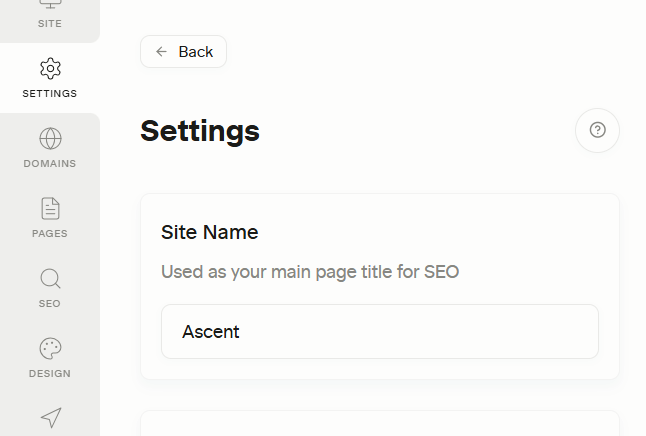
How Page Titles Work on Your Super Site
The page titles displayed on your website are pulled directly from Notion, not Super. This means that whatever title you assign to a page in Notion will appear as the title your visitors see on your site.
Site Name vs. SEO Title: Understanding the Difference
- Site Name: Your Site Name in Super is the name of your whole site. It does not appear on your pages as a visible title, but search engines and social networks use it as your site's name (
og:site_name) in results and link previews. - SEO/Page Title: The SEO or page title is what search engines read and display in search results. Without a custom title, Super uses the page's title from Notion. For better search visibility and clarity, it’s recommended to set a custom Page Title for each page.
Practical Tips for Using Site Name and Page Titles
- Branding: Search engines and social networks show your Site Name as the name of your site, so use your real brand or project name rather than an internal working name.
- Homepage SEO: For your homepage, combine your Site Name with descriptive keywords to make it clear to both visitors and search engines what your site offers.
Example:
- Site Name: Token Kitchen
- SEO Homepage Title: Token Kitchen – Guides & Tools for Token Economy
This approach ensures your site is both recognizable to visitors and optimized for search engines.
If you'd like to hide your page title with CSS, you can do so with this code snippet:
div.notion-header__content.no-cover { display: none !important; }