


Let your AI assistant check it. Connect the Super MCP to Claude, ChatGPT or another assistant and paste this prompt:
Use the Super MCP to check why the page [page path] is missing from the sitemap of my Super site [site name].
Follow the guide at https://docs.super.so/help/super-how-tos/why-are-some-pages-missing-from-my-sitemap
Fix the indexing, search engine and protection settings that keep it out.
Then tell me whether the page is in my sitemap.xml.
Find out why certain pages don’t appear in your Super sitemap and how page visibility and indexing settings affect sitemap generation.
Super automatically generates your sitemap using pages that are published, publicly accessible, and allowed to be indexed. The sitemap helps search engines like Google discover and crawl your content.
If a page is missing from the sitemap, it usually means that the page does not meet one or more of Super’s sitemap inclusion requirements. This is often related to visibility, indexing settings, or recent changes that haven’t fully synced yet.
Common reasons pages are missing
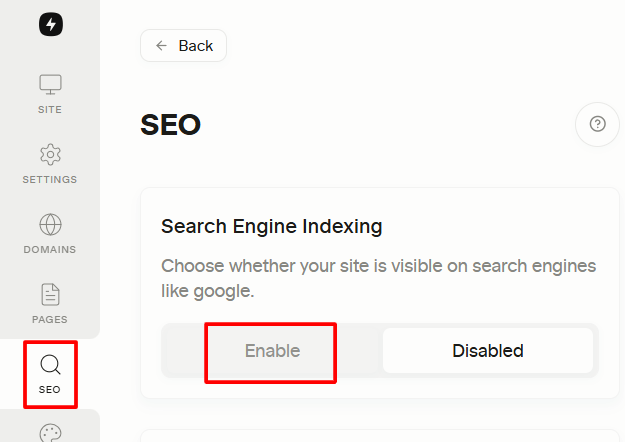
1. Page indexing is disabled
If indexing is turned off in Super settings, the page will be excluded from the sitemap to prevent search engines from crawling it. Make sure it is enabled.
2. Page is not shared publicly in Notion
Only pages that are publicly shared in Notion can be included. Private pages or pages restricted to certain users won’t appear in the sitemap.
3. Page is unpublished or excluded
Pages that are unpublished, hidden, or intentionally excluded from navigation may also be excluded from the sitemap, depending on your site configuration.
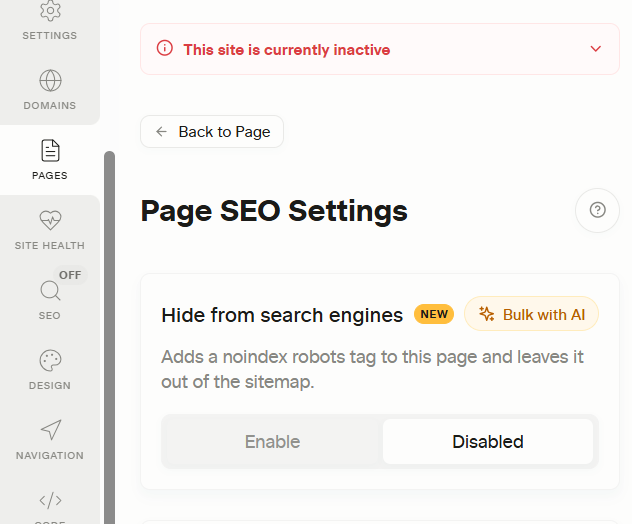
4. Page is hidden from search engines
Open the page in Pages, go to its SEO tab and check Hide from search engines. When it is on, Super adds a noindex robots tag to the page and leaves it out of sitemap.xml. Turn it off to bring the page back.
5. Page is protected by a password or membership
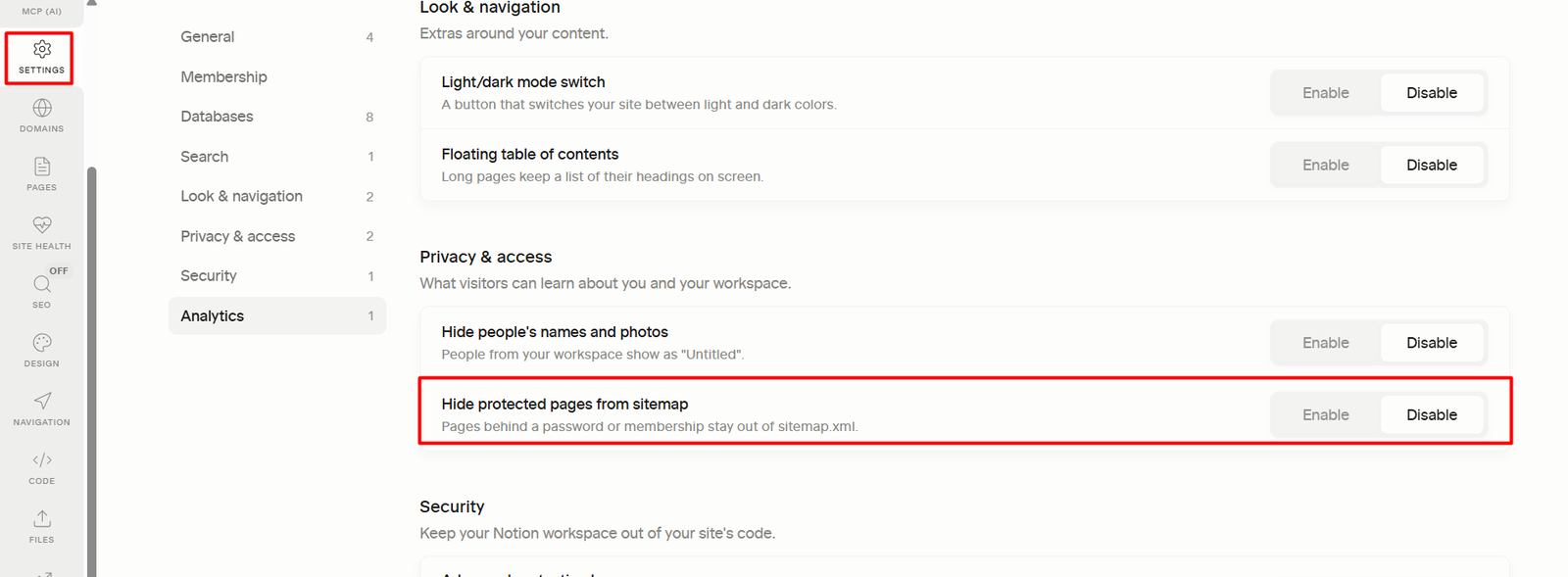
Protected pages are listed in the sitemap by default (search engines still cannot read their content). They are left out when Hide protected pages from sitemap is on in Settings → Privacy & access (all protected pages), or when Hide from sitemap is ticked in the page's protection settings (one page).
6. Recent changes haven’t synced yet
After changing visibility, indexing, or publishing settings, Super needs time to regenerate the sitemap. Immediate updates are not always reflected right away.
How to fix it
- Ensure the page is public in Notion Open the Notion page and confirm it’s shared publicly.
- Confirm indexing is enabled in Super Check your page-level and site-level indexing settings to ensure the page is allowed to be indexed.
- Republish your site Republishing forces Super to re-sync your content and regenerate the sitemap.
- Wait for sitemap regeneration Sitemap updates are not instant. Allow some time after republishing before checking again. The fastest way is to visit your sitemap URL is by typing this to your browser:
https://yourdomain.com/sitemap.xml
Best practice
Only include pages in your sitemap that you actually want search engines to index. Keep private, draft, or low-value pages excluded to maintain a clean and high-quality sitemap that improves crawl efficiency and SEO performance.