


Let your AI assistant set it up. Connect the Super MCP to Claude, ChatGPT or another assistant and paste this prompt:
Use the Super MCP to add my embed [embed code or widget] as a super-embed on [page] of my Super site [site name].
Follow the guide at https://docs.super.so/help/widgets-and-advanced-how-tos/how-to-do-custom-embeds-on-the-notion-or-super-page and keep all existing code.
If a step has to be done in Notion, do it with the Notion connector or tell me exactly what to change.
Then show me a preview of that page.
This allows you to put code embeds on a Super page where you want them, using the code block in Notion.
Super-embed is now a native feature of paid plans!
From 30-April-2024 there is no need to load the super-embed script in the head section of code!
Just add your code to a code block in Notion and prefix it with super-embed: and it will work on the Super site.
- Create a code block in Notion by typing
/code - Add to the first line: `super-embed:`
- Then add your HTML after that.
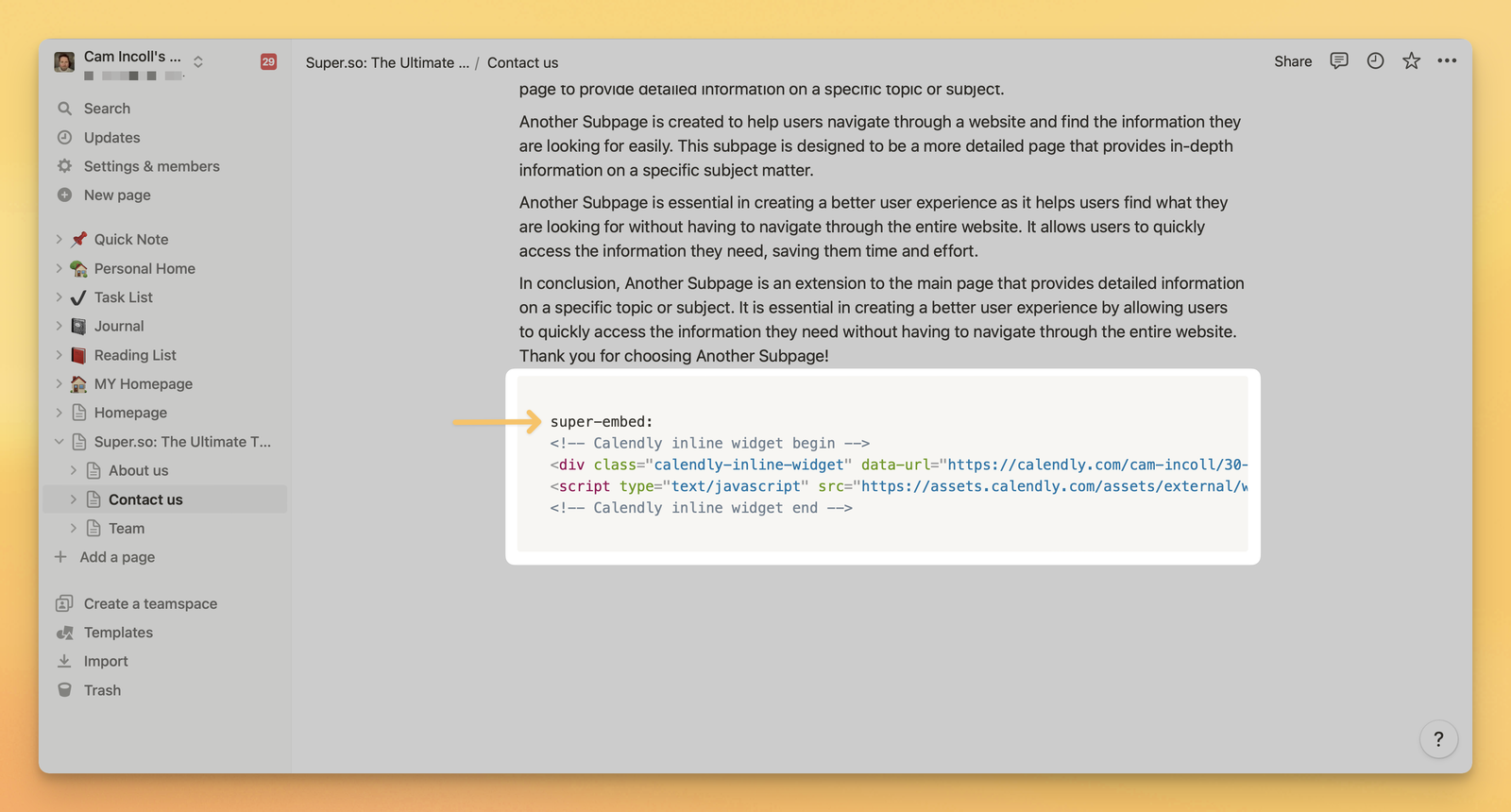
When you refresh the page in the Dashboard, Super will find the code block and then load that HTML on the page and run any scripts.
When you refresh the page in Super, the super-embed script will find the code block and then load that HTML on the page.
If your custom embed also has a script with it and it is not executing reliably, please load the script in the Head section of Code (global or page level as appropriate).