


Let your AI assistant check it. Connect the Super MCP to Claude, ChatGPT or another assistant and paste this prompt:
Use the Super MCP to find where the Notion page [Notion page URL] was added on my Super site [site name].
Follow the guide at https://docs.super.so/help/widgets-and-advanced-how-tos/how-to-find-where-pages-have-been-added-to-your-site
Then show me a preview of that page at its current path.
Sometimes Super will add a page where you least expect; here's a simple way to find where it is in your Super site.
If you're trying to add a new page to super but you get an error that the page is already added, this means that super has already found and added the page to your site. But where is it? Super will add the page where it first finds it. Let's find where that is.
- Take the last part of the Notion URL:
https://a-notion-user.notion.site/Some-Page-On-The-Site-**524fc97f66714591981cc19433e9e2ea** - And add it to your custom domain
https://your-super-site.com/**a4af4c1bc1bb47a3829a6d6eae7787c9** - You can also paste it on the search on your PAGES Section
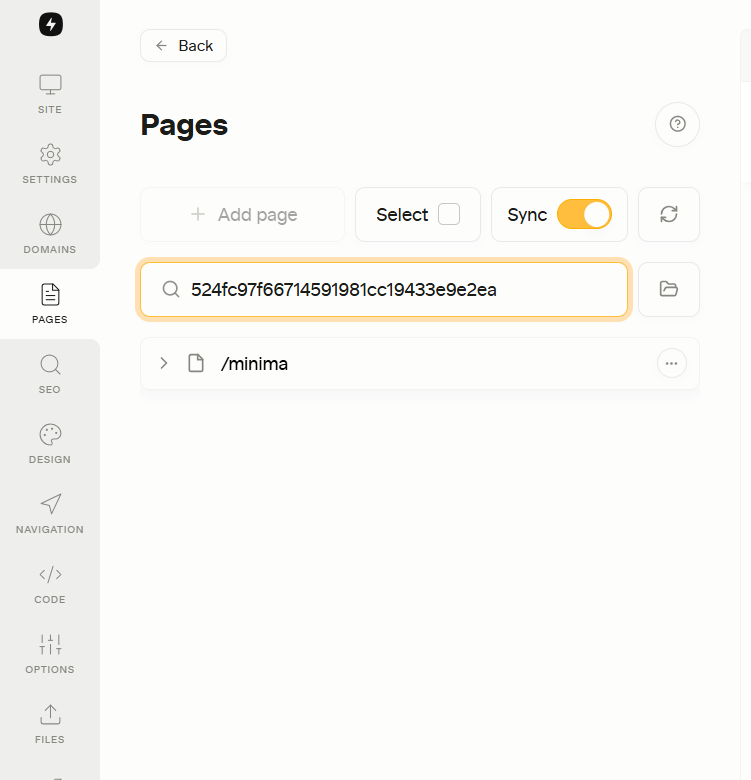
If Super has already added it to your site, then it will rewrite the URL as https://your-super-site.com/content/some-page-on-the-site or whatever it is.
If Super does not change the URL, then another page is using that title/path at that location.