


Let your AI assistant set it up. Connect the Super MCP to Claude, ChatGPT or another assistant and paste this prompt:
Use the Super MCP to share the database [database name] between my Super sites [site 1] and [site 2] by nesting them.
Follow the guide at https://docs.super.so/help/widgets-and-advanced-how-tos/how-to-nest-two-sites-and-share-data-between-them
If a step has to be done in Notion, do it with the Notion connector or tell me exactly what to change.
Then show me a preview of the database page on both sites.
Learn how to share a Notion database across multiple Super sites by nesting subpages, allowing seamless content management while maintaining site hierarchy
You might want to share content between multiple sites using a single, shared database. Super can load any subpage onto a site, but it cannot load pages that exist outside the homepage hierarchy in Notion. This can be a challenge, as a shared database can normally only exist as a subpage of one site.
Fortunately, there’s a workaround: nesting sites.
How to Nest Sites to Share a Database
Suppose you want two sites, Site 1 and Site 2, to share a common database.
- In Notion, make Site 2 a subpage of Site 1.
- Place the shared database as a subpage somewhere within Site 2.
By nesting the sites this way, Super can access the database from both sites while keeping the hierarchy intact.
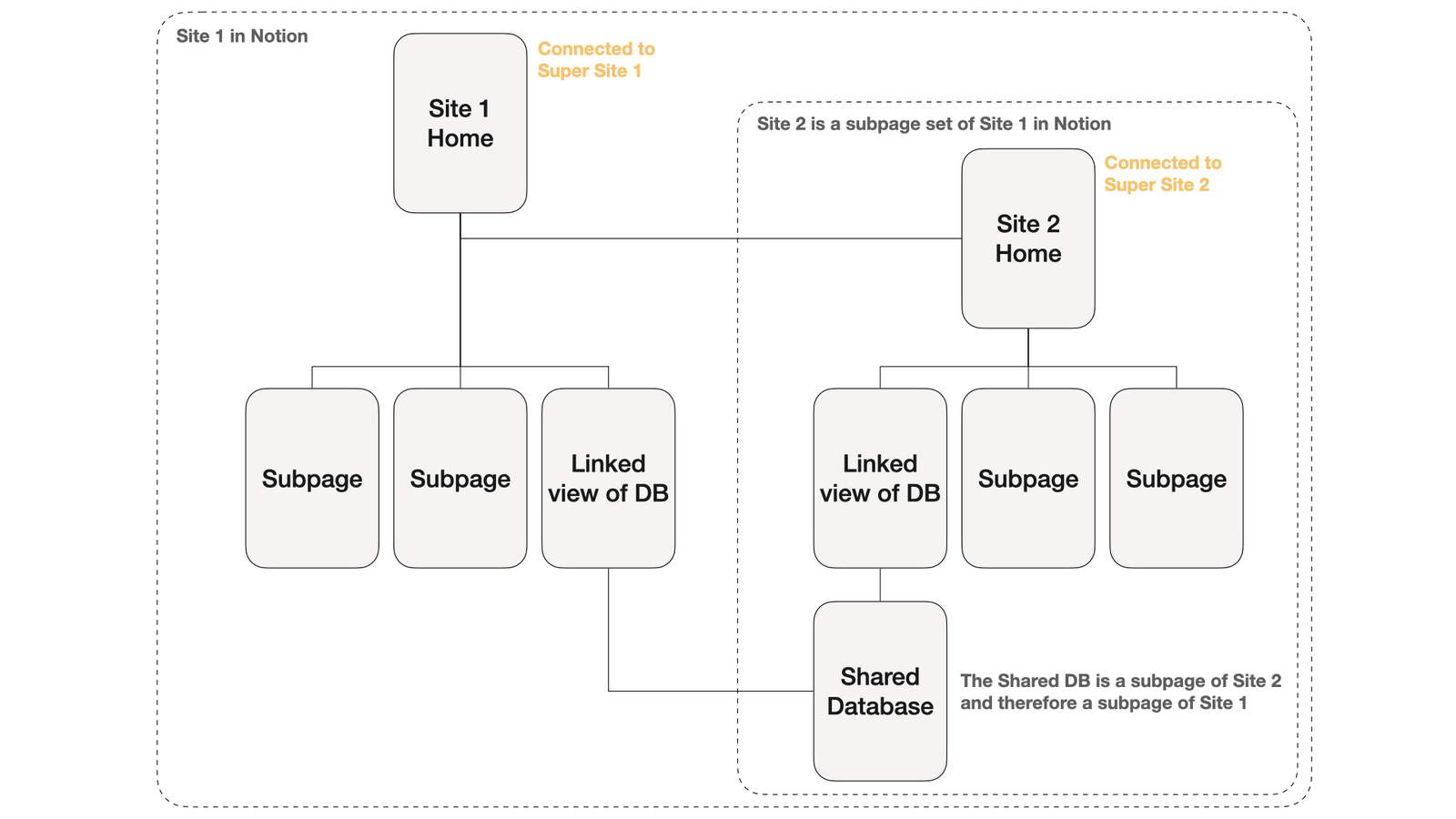
Site 1 will have access to everything in the Site 2 hierarchy.
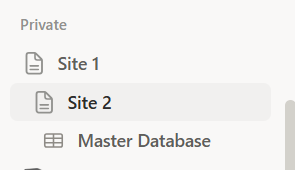
If you need to hide Site 2 on Site 1, then hide the subpage on the new site using CSS.